
A passport typically has around thirty pages, but organizations requesting a scan do not always specify which one to send. The useful page depends on the recipient: airline, consulate, digital identity platform, or simply a hotel. Scanning the wrong page, or the right one in an unusable format, is enough to block an entire process.
Passport identity page: the only one that machines can read
The page to scan as a priority is the one that bears the holder’s photo. It contains the name, first names, date of birth, nationality, document number, and expiration date.
At the bottom of this same page are two lines of characters mixing letters, numbers, and chevrons. This is the MRZ (Machine Readable Zone), automatically read by scanners at airports, consulates, and online platforms. If these lines are cut off, blurry, or partially obscured by a finger, the document becomes unusable for any automated processing.
Border control applications, such as Mobile Passport Control used by CBP in the United States, extract the name, passport number, and expiration date exclusively from this page. Knowing exactly which page to scan on a passport prevents providing a document that the system cannot interpret.
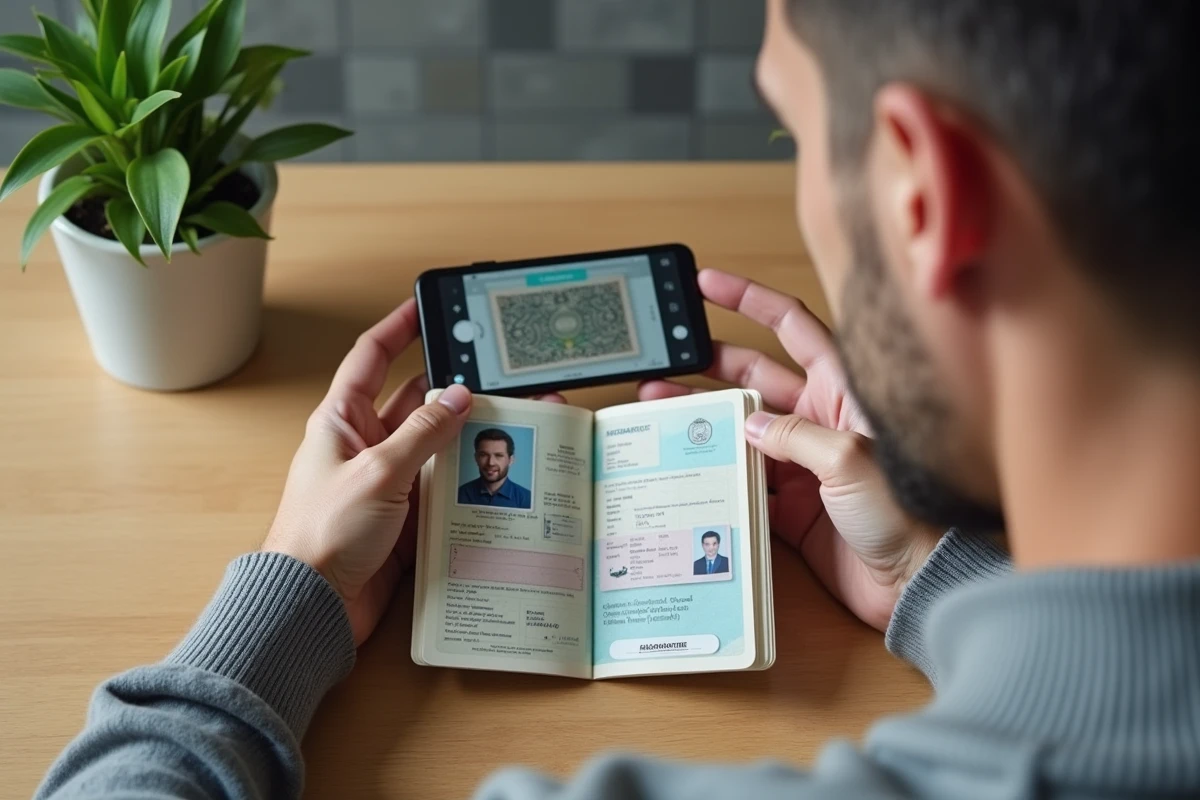
Scanning the signature page and visa pages: when it’s required
Some procedures do not settle for just the identity page. The signature page, often located directly opposite or on the next page, is sometimes requested separately.
The Estonian e-Residency service, for example, requires a color scan of the open double page when the signature is on a page different from the photo. Other administrations adopt the same logic for naturalization or residence permit renewal applications, where all pages of the passport, including blank ones, must be scanned.
Visa pages and entry stamps
For a visa application to certain destinations, the consulate may request the pages bearing entry stamps or previous visas. The goal is to verify the applicant’s travel history.
These pages never replace the identity page. They are in addition to it. In the context of air travel, visas and stamps must only be presented in physical form.
Scan format and resolution: criteria that lead to rejections
A technically correct scan of the right page can still be rejected if the format or quality does not meet the recipient’s requirements. Several administrations and platforms now impose strict criteria.
- Minimum resolution of 300 dpi: below this, the characters in the MRZ become unreadable for automatic readers. A scan at 150 dpi may look sharp on screen but fails machine processing.
- Preferred PDF format: most administrative platforms reject JPEG or PNG files for multipage documents. A PDF file maintains sharpness and combines multiple pages into a single submission.
- Color scan required: black and white obscures the security features of the passport (holograms, watermarks), and some platforms automatically reject it.
- No photo of a photo: a scan made from a computer screen or from a degraded photocopy loses too much information to be usable.
Scanning with a smartphone or flatbed scanner
A flatbed scanner remains the most reliable method for achieving a consistent result. The passport opened flat, with pages pressed against the glass, avoids shadow areas at the binding.
With a smartphone, applications like Adobe Scan or CamScanner correct perspective and convert directly to PDF. The condition: uniform lighting, without reflections on the laminated surface of the identity page. A reflection on the photo or on the MRZ makes the file unusable.

NFC verification of the biometric passport: the invisible scan
Recent biometric passports contain an electronic chip, usually embedded in the cover. More and more digital identity services require a dual verification flow: first the standard scan of the identity page, then an NFC reading of the closed passport by placing the phone against the cover.
This NFC reading extracts data directly from the chip, allowing verification that the optical scan corresponds to the physical document. This process is used notably by eID services and certain online voting platforms.
The scan of the identity page remains the first step, but NFC reading is becoming the strong verification reference for sensitive procedures. A compatible NFC smartphone is sufficient for this operation, with no additional hardware required.
Concrete errors that invalidate a passport scan
Some errors consistently appear in rejected applications.
- Scanning only the cover of the passport instead of the inner identity page. The cover contains no usable data.
- Cutting off the edges of the page, especially the bottom where the MRZ is located. A too-tight crop on the holder’s photo loses the coded lines.
- Sending a file that is too large or too compressed. Excessive compression degrades small characters, while a file of several dozen megabytes will be rejected by most online forms.
- Scanning the identity page of an expired passport without indicating it. If the document is expired, the scan may sometimes be accepted as a supplementary document, but never as the main form of identification.
For procedures requiring a complete file, checking the exact specifications of the recipient before scanning remains the most effective reflex. The identity page with its intact MRZ, in color and at a sufficient resolution, covers the majority of cases. Additional pages are only added at the explicit request of the consulate or the relevant administration.